
Quickstart
Get Better Auth Console running in 5 minutes. Clone, configure, and start managing your better-auth instances.
Get the console running locally in just a few minutes.
Prerequisites
- Node.js 20+
- pnpm 10.4.1+
- An existing better-auth database (PostgreSQL)
If you don't have better-auth set up yet, see the better-auth documentation first.
Setup
Clone the Repository
git clone https://github.com/arc0ai/better-auth-console.git
cd better-auth-console
pnpm install
Configure Your Instance
Edit instances.config.ts in the project root:
import { betterAuth } from "better-auth";
import { drizzleAdapter } from "better-auth/adapters/drizzle";
import { drizzle } from "drizzle-orm/postgres-js";
import postgres from "postgres";
import * as schema from "./apps/web/lib/schema";
import { organization, admin, apiKey } from "better-auth/plugins";

// Create database connection
const client = postgres(process.env.DATABASE_URL!);
const db = drizzle(client, { schema });

// Configure better-auth instance
const auth = betterAuth({
  secret: "your-secret", // Can be any value for console-only usage
  database: drizzleAdapter(db, { provider: "pg", schema }),
  plugins: [organization(), admin(), apiKey()], // Add your plugins
});

// Export instances array
export default [
  {
    id: "production",
    name: "Production",
    env: "production",
    auth,
  },
];

// Export shutdown handler for cleanup
export const shutdown = async () => {
  await client.end();
};
Set Environment Variables
Create a .env file:
DATABASE_URL=postgresql://user:password@localhost:5432/your_dbOpen the Dashboard
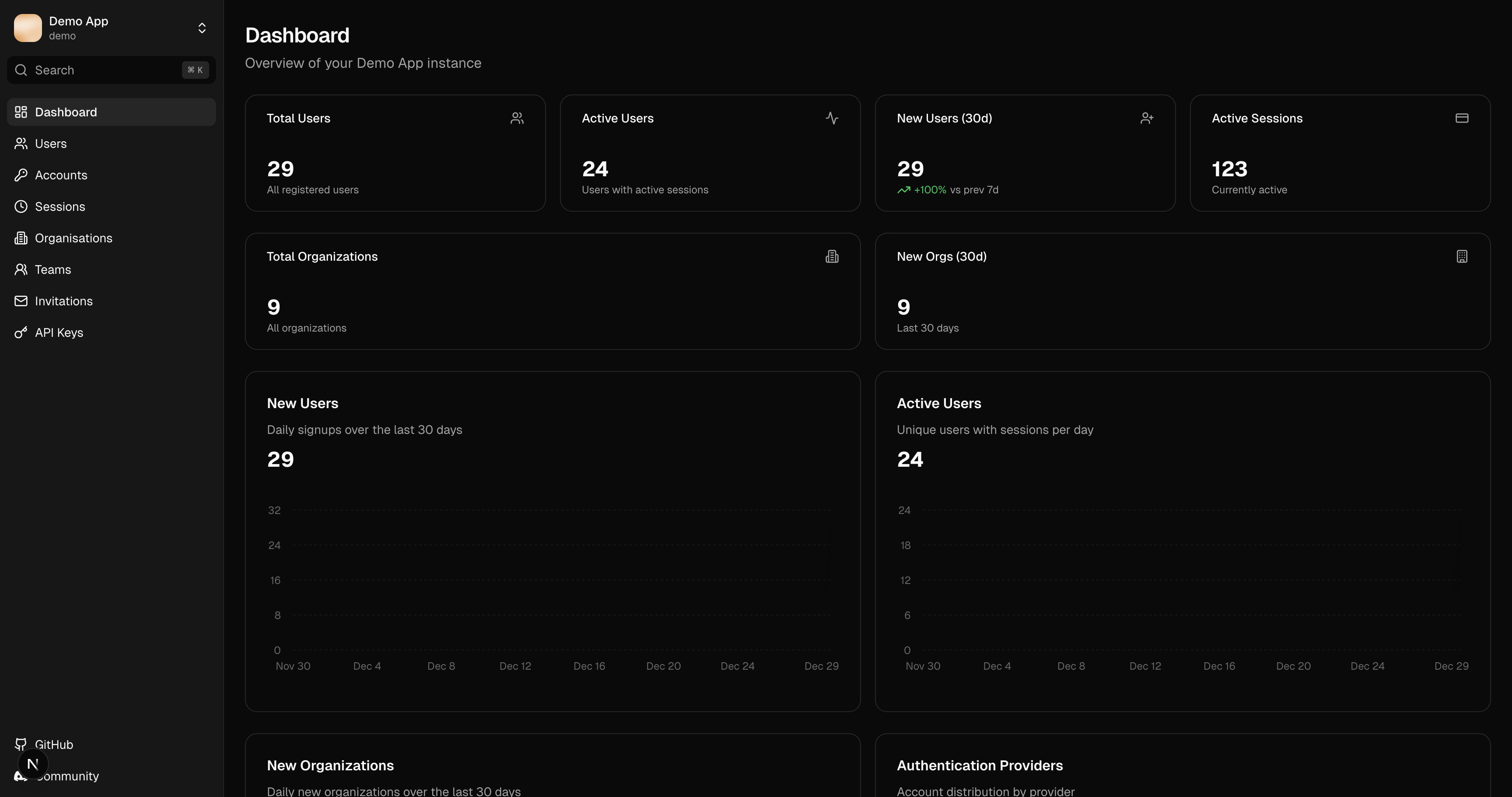
Navigate to http://localhost:3000 in your browser. You should see the dashboard with your instance data.
Multiple Instances
To manage multiple better-auth databases, add more entries to the instances array:
export default [
  {
    id: "production",
    name: "Production App",
    env: "production",
    auth: productionAuth,
  },
  {
    id: "staging",
    name: "Staging App",
    env: "staging",
    auth: stagingAuth,
  },
  {
    id: "development",
    name: "Development",
    env: "development",
    auth: devAuth,
  },
];
Switch between instances using the dropdown in the sidebar.