
Users
View, edit, and manage users in your better-auth instance.
Manage all users registered in your better-auth database.
Users List
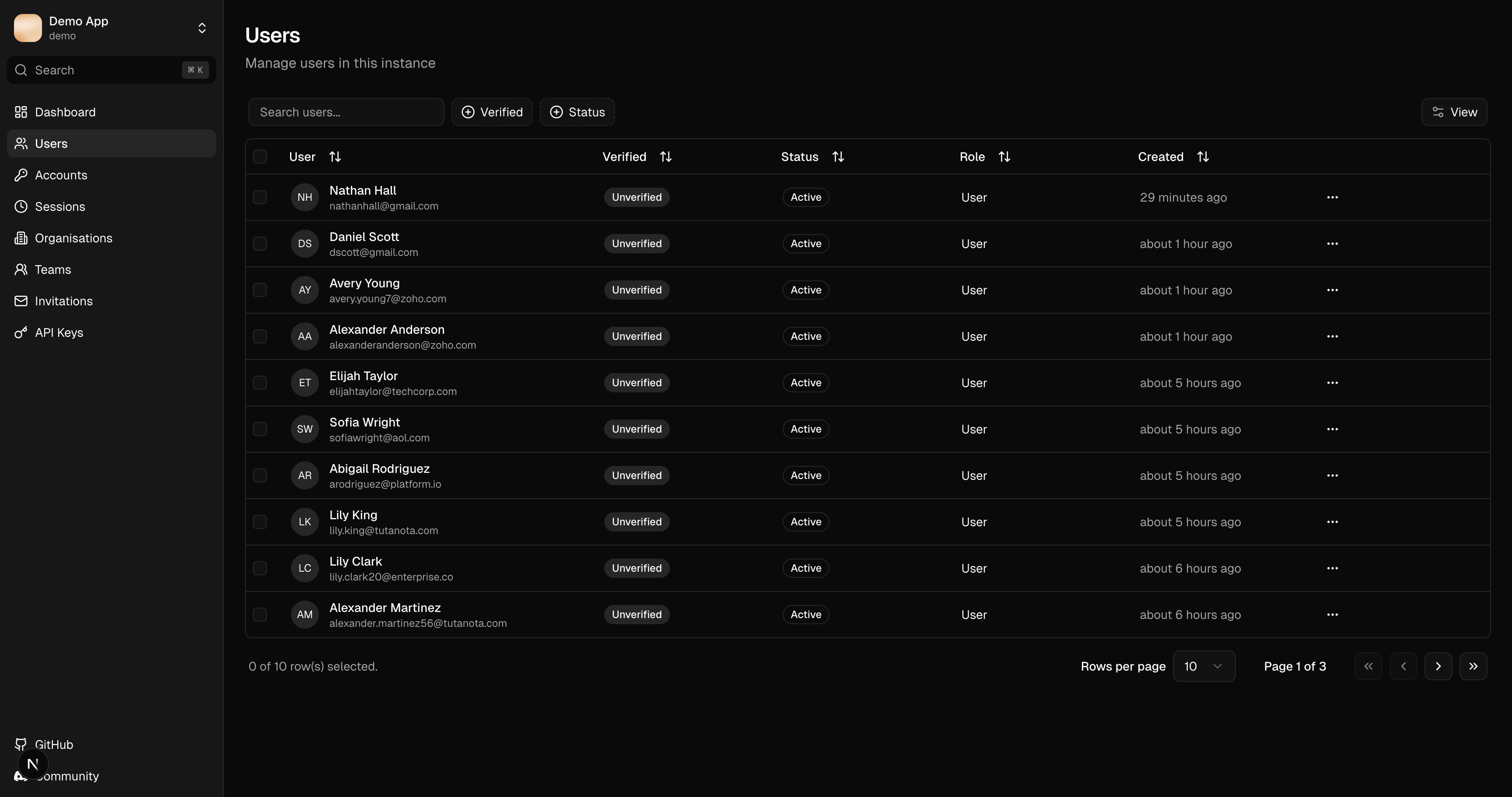
The users table displays:
| Column | Description |
|---|---|
| Name | User's display name |
| Email address | |
| Role | User role (requires admin plugin) |
| Verified | Email verification status |
| Banned | Ban status (requires admin plugin) |
| Created | Registration date |
Search and Filter
- Search: Filter by name or email
- Column filters: Click column headers to filter
- Sorting: Click headers to sort ascending/descending
Column Visibility
Click the columns dropdown to show/hide specific columns.
User Detail Sheet
Click any row to open the quick-view detail sheet:
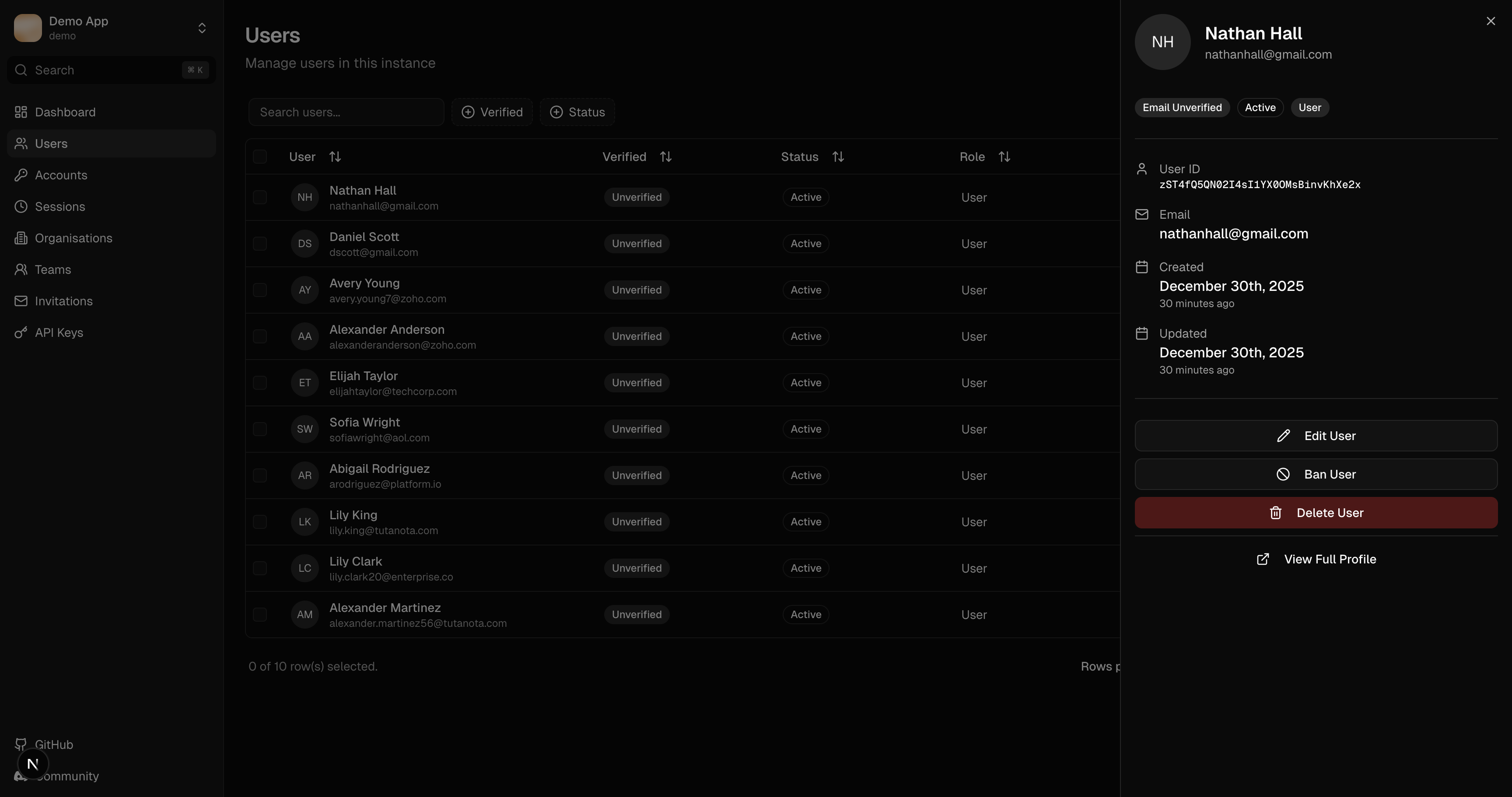
The sheet shows:
- Profile information (name, email, image)
- Account status (verified, banned)
- Role assignment
- Quick actions
Full Profile
Click "View Full Profile" for the complete user management interface:
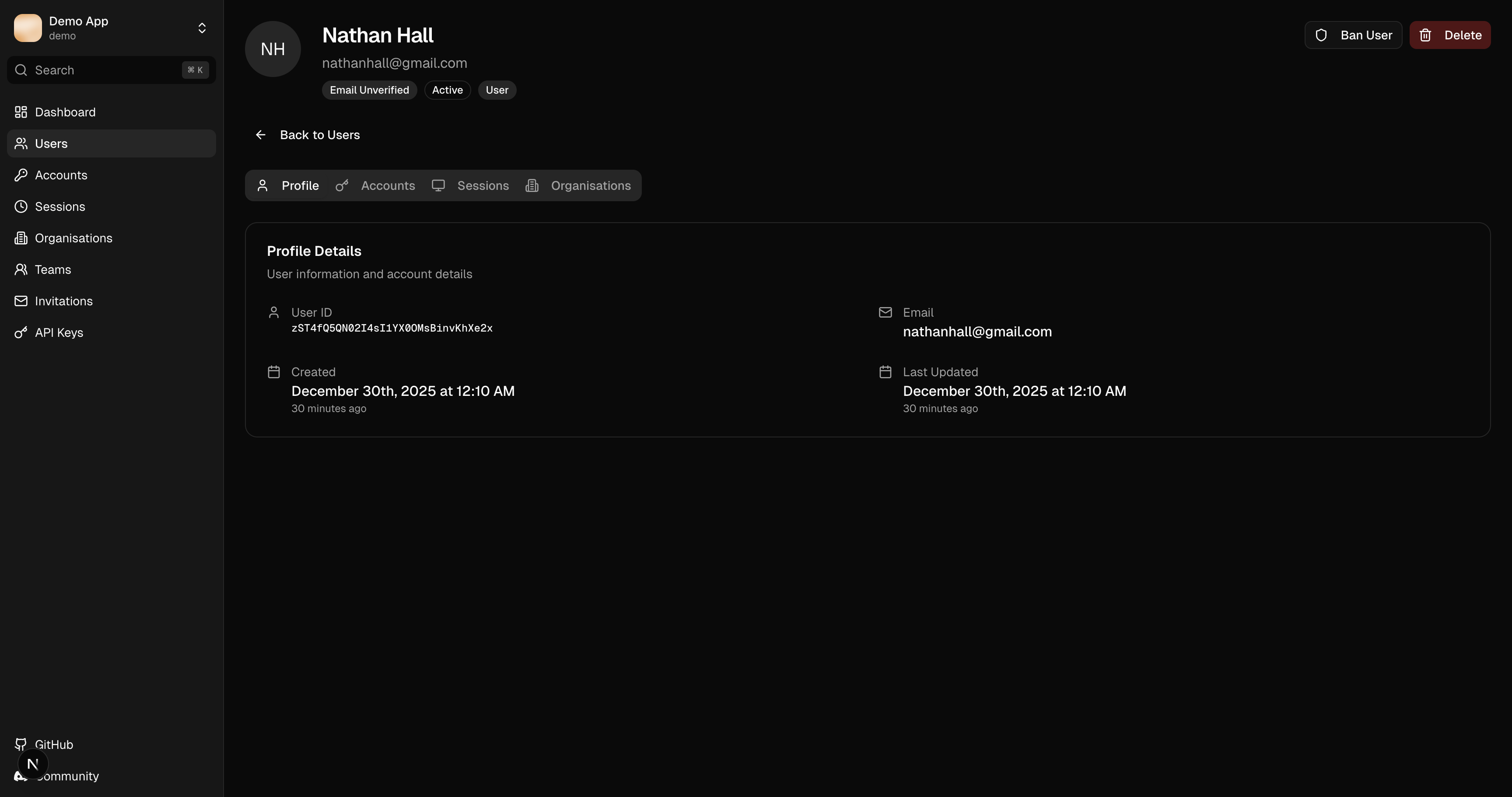
Profile Tab
Edit user details:
- Name
- Profile image URL
- Role (if admin plugin installed)
Accounts Tab
View linked authentication providers:
- Provider name (Google, GitHub, etc.)
- Provider account ID
- Linked date
See Accounts for more details.
Sessions Tab
View active sessions for this user:
- Session token (truncated)
- Device/browser info
- IP address
- Created date
- Expiry date
Actions:
- Revoke: End a specific session
- Revoke All: End all sessions for this user
See Sessions for more details.
Organizations Tab
View organization memberships (requires organization plugin):
- Organization name
- Member role
- Team assignments
Actions
Edit User
Update user profile information from the full profile view.
Ban/Unban User
Requires the admin plugin.
Toggle the user's banned status. Banned users cannot create new sessions.
Delete User
Permanently remove the user and all associated data. This action cannot be undone.
Deleting a user also removes their sessions, accounts, and organization memberships.
Next Steps
- Sessions - Manage user sessions
- Accounts - View linked providers
- Organisations - Manage organization memberships